How to Apply for an Online Loan on Renmoney
3 mins read
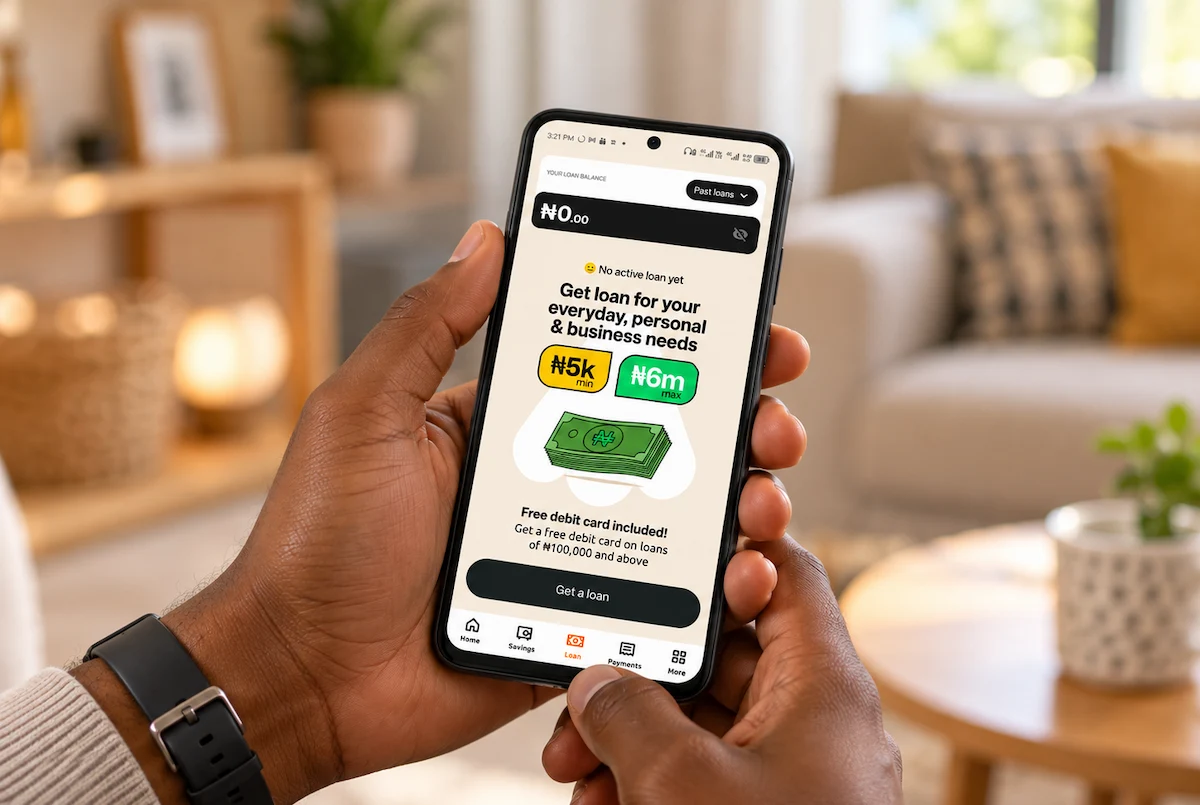
To apply for an online loan with Renmoney, download the Renmoney app or visit renmoney.com, sign up, and share your BVN, a valid ID and your bank details. We review your application and, if you qualify, show your loan amount, repayment dates and total payable before you accept. Eligible customers can borrow up to ₦1 million with a decision in about minutes, and SMEs up to ₦40 million.
Applying for a loan used to mean queuing in a banking hall, filling forms and waiting weeks to hear back. Today you can apply for an online loan from your phone while you wait for your bus at Ojota or between customers at your shop.
The process is simple, but small mistakes can slow it down. A name that doesn't match your BVN or a phone number that isn't linked to your bank can turn a 5-minute decision into a back-and-forth.
This guide walks you through applying on Renmoney, what happens after you apply, and how to fix the most common hiccups.
What do I need to apply for an online loan?
The most common information lenders need is you need your BVN, a valid government-issued ID and your bank details. If anything else is needed, you'll be asked for it during your application.
Your BVN (Bank Verification Numbe r) is the 11-digit number that identifies you across Nigerian banks. It's the foundation of digital lending in Nigeria, and no legitimate loan is possible without it. We accept any government-issued ID, including a driver's licence, national ID card, voter's card or international passport.
To qualify, you should be 18–59 years old and have a verifiable source of income. If you're paid in cash, deposit it into your bank account regularly so your income shows on your statement.
How do I apply for a loan on the Renmoney app and website?
Follow these walkthroughs to apply for a loan on Renmoney:
Applying on the Renmoney app
Download the Renmoney money from PlayStore or the App Store
Create an account or log-in to your Renmoney account
On the app homepage, click on [ Loan ]
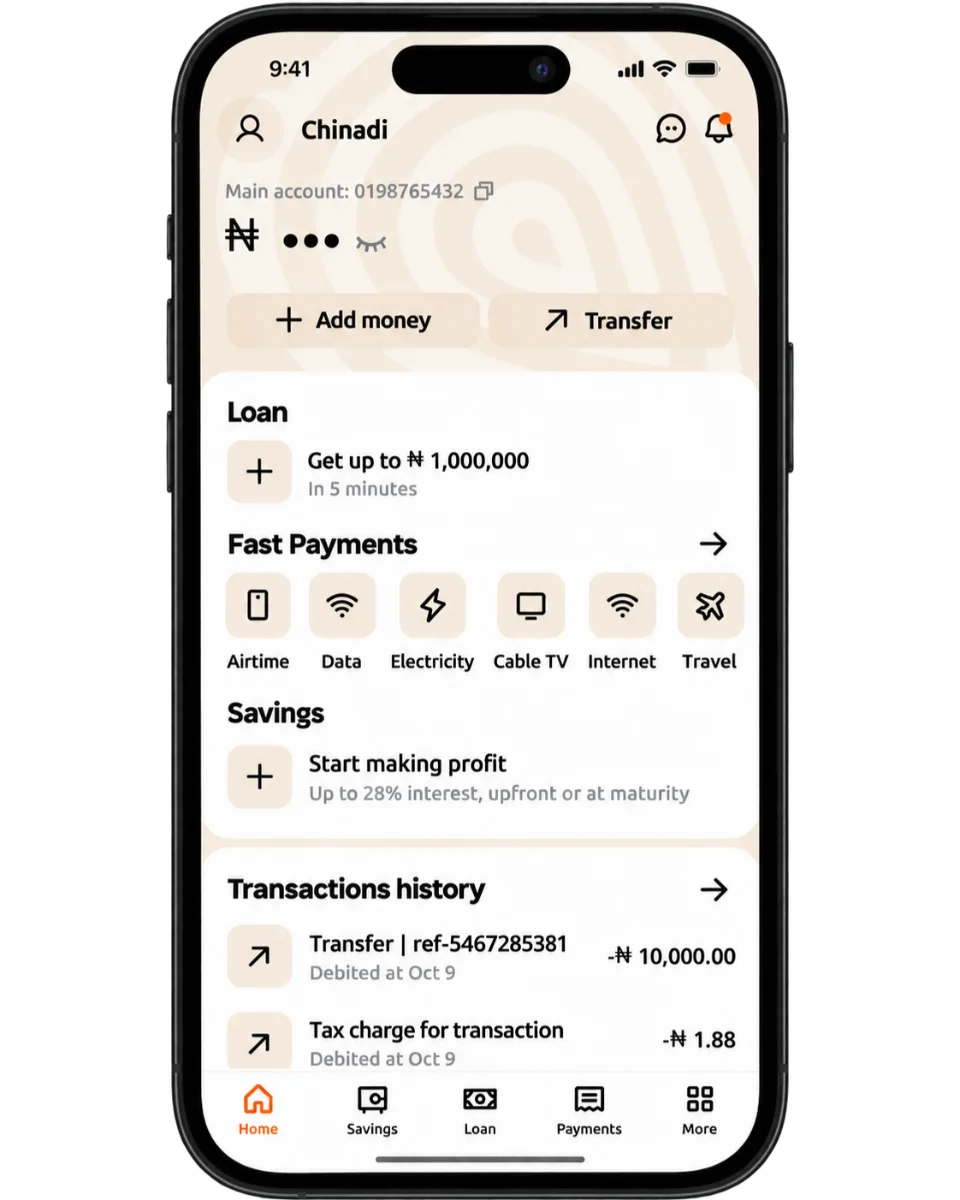
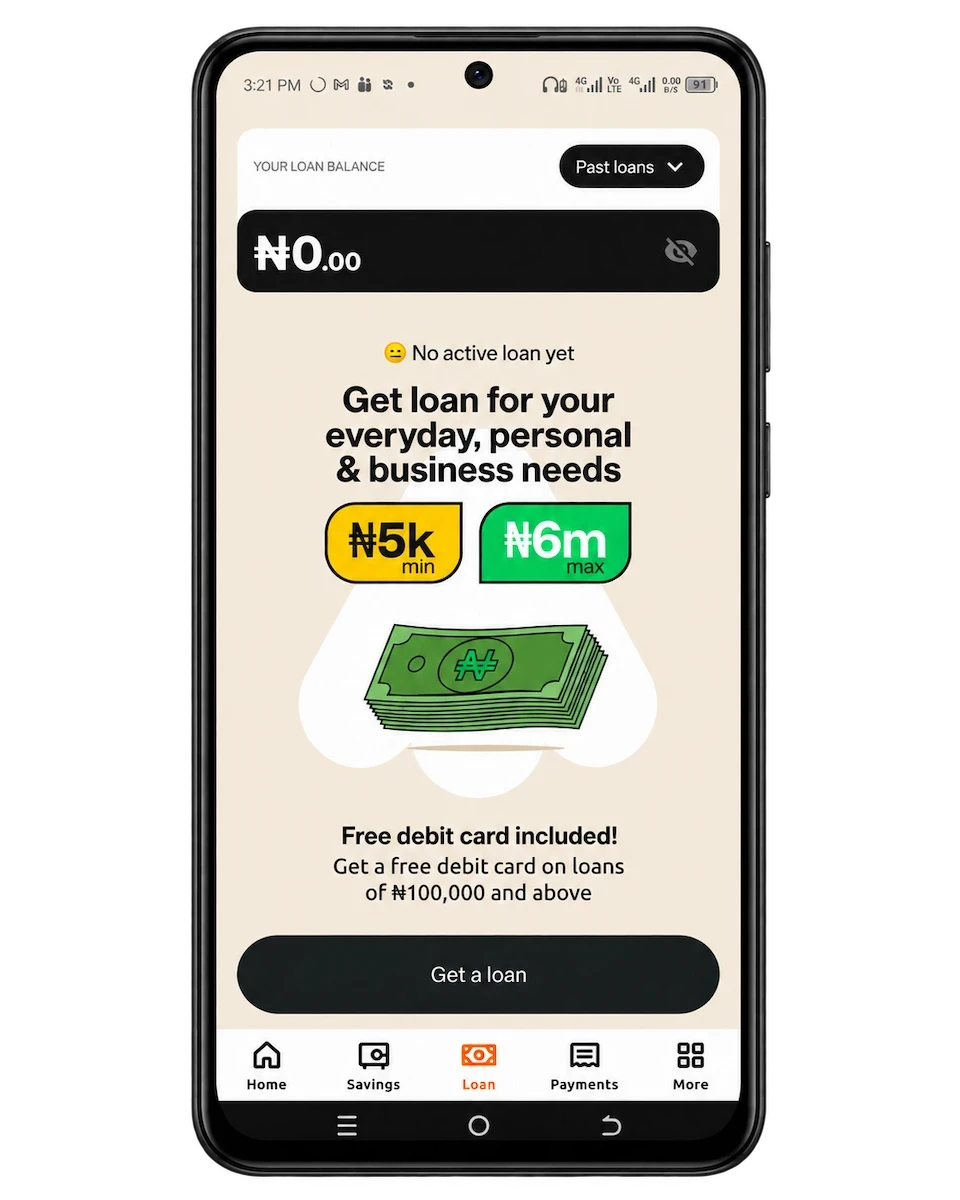
On [ Loan ], click on [ Get a loan ]
Scroll down the page and click on a box to accept the Terms & Conditions. Then click on [ Continue ] to proceed to the loan form
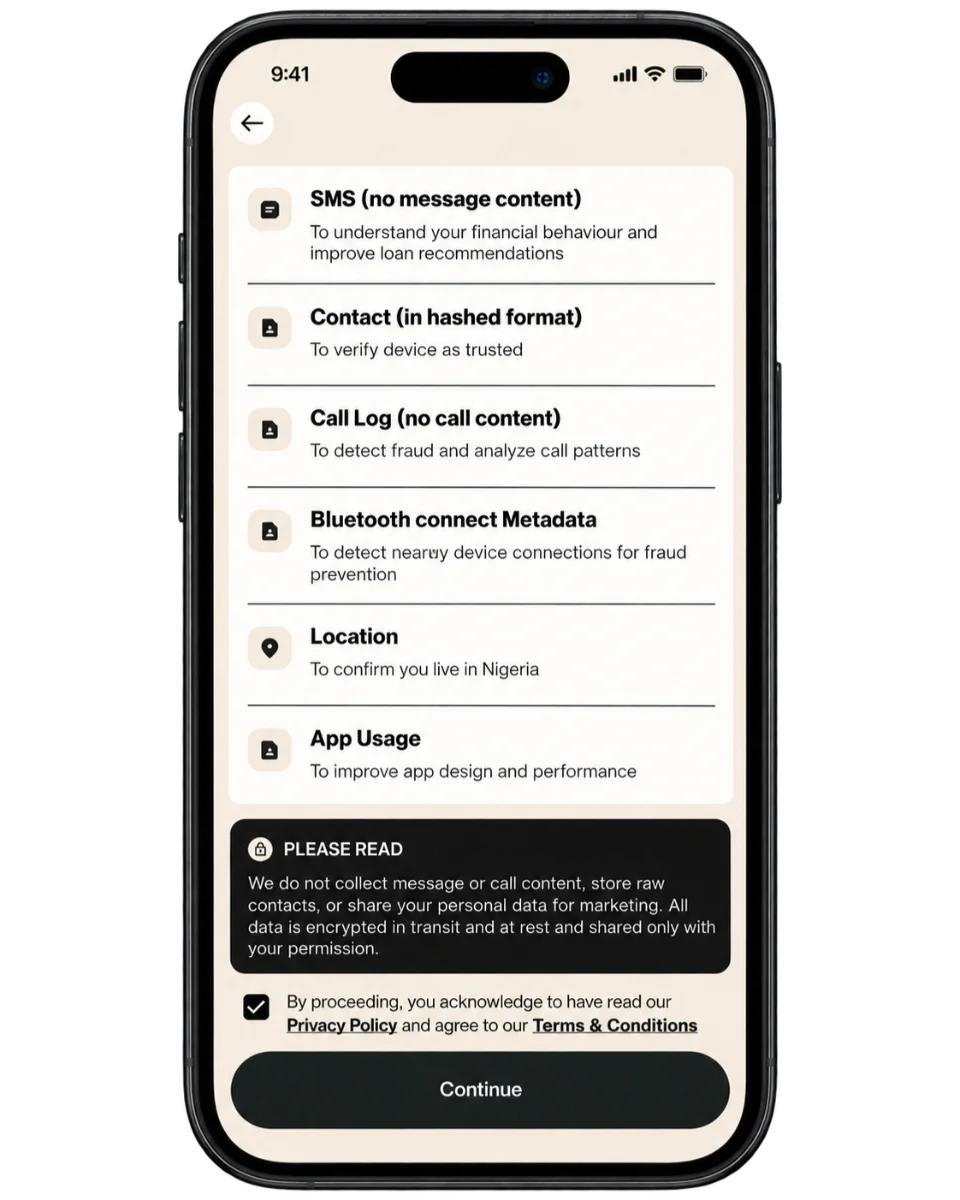
Fill the Loan Form with how much you want to get, plus your personal info.
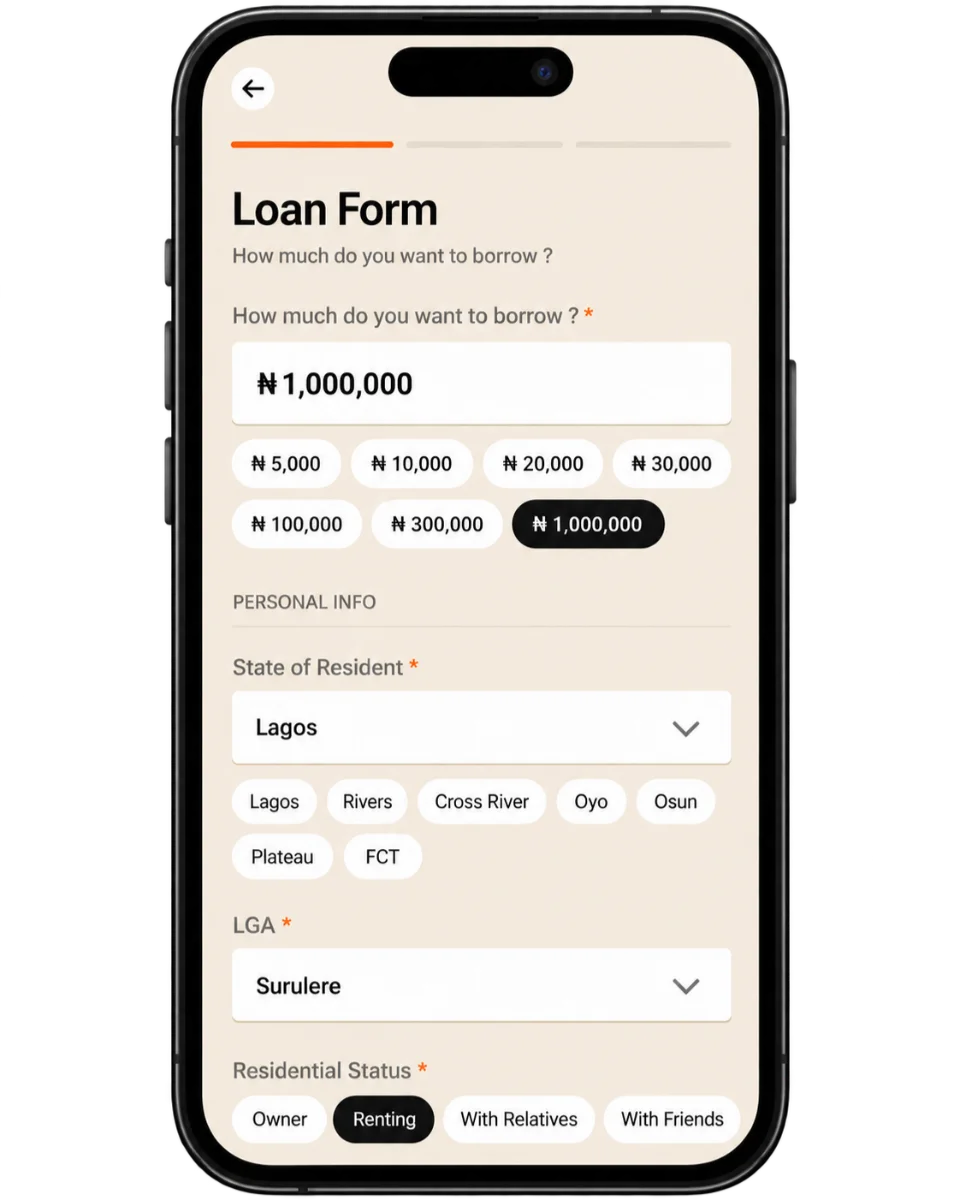
When you’re done, click on [ Continue ]
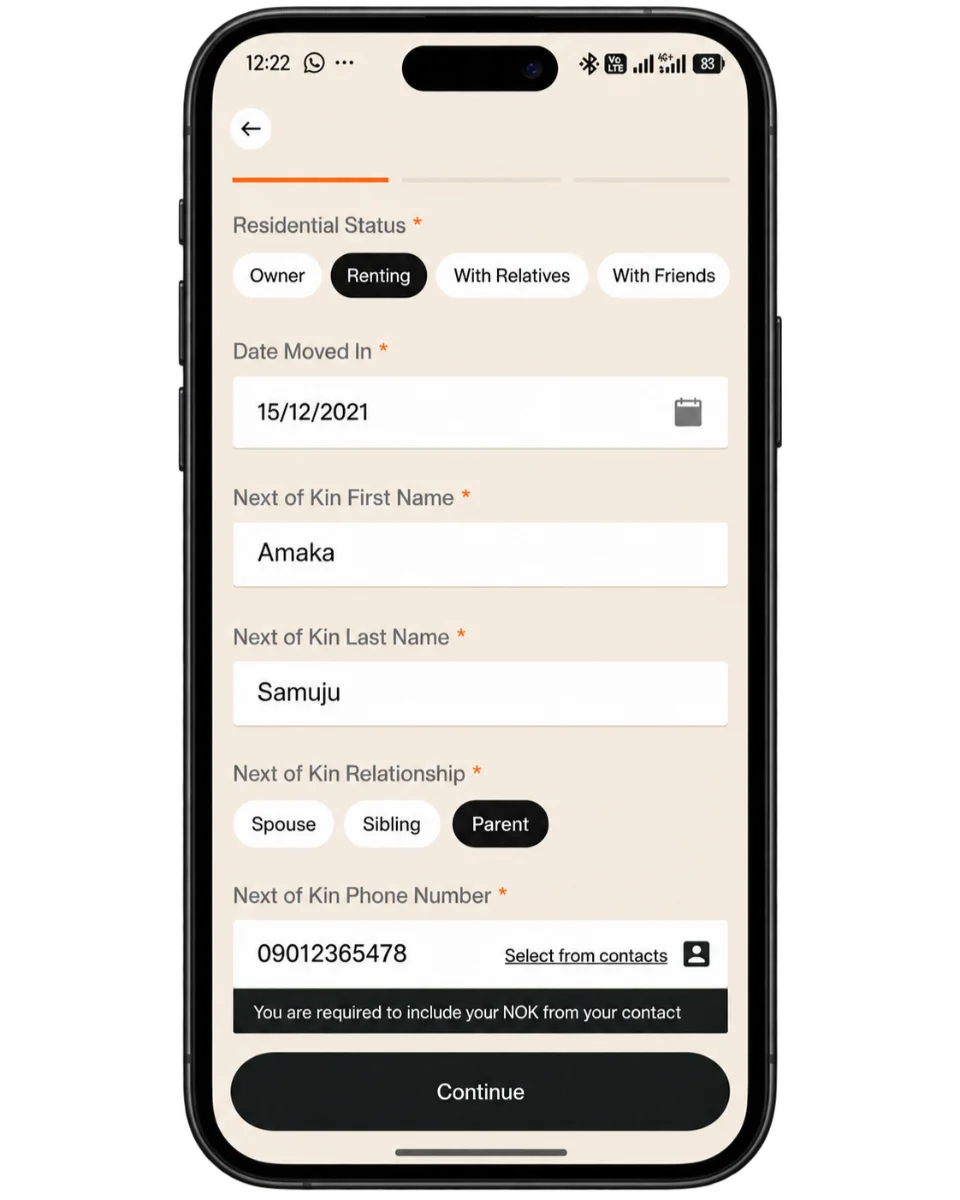
Fill in your Employment Details. When you’re done, click on [ Next ]
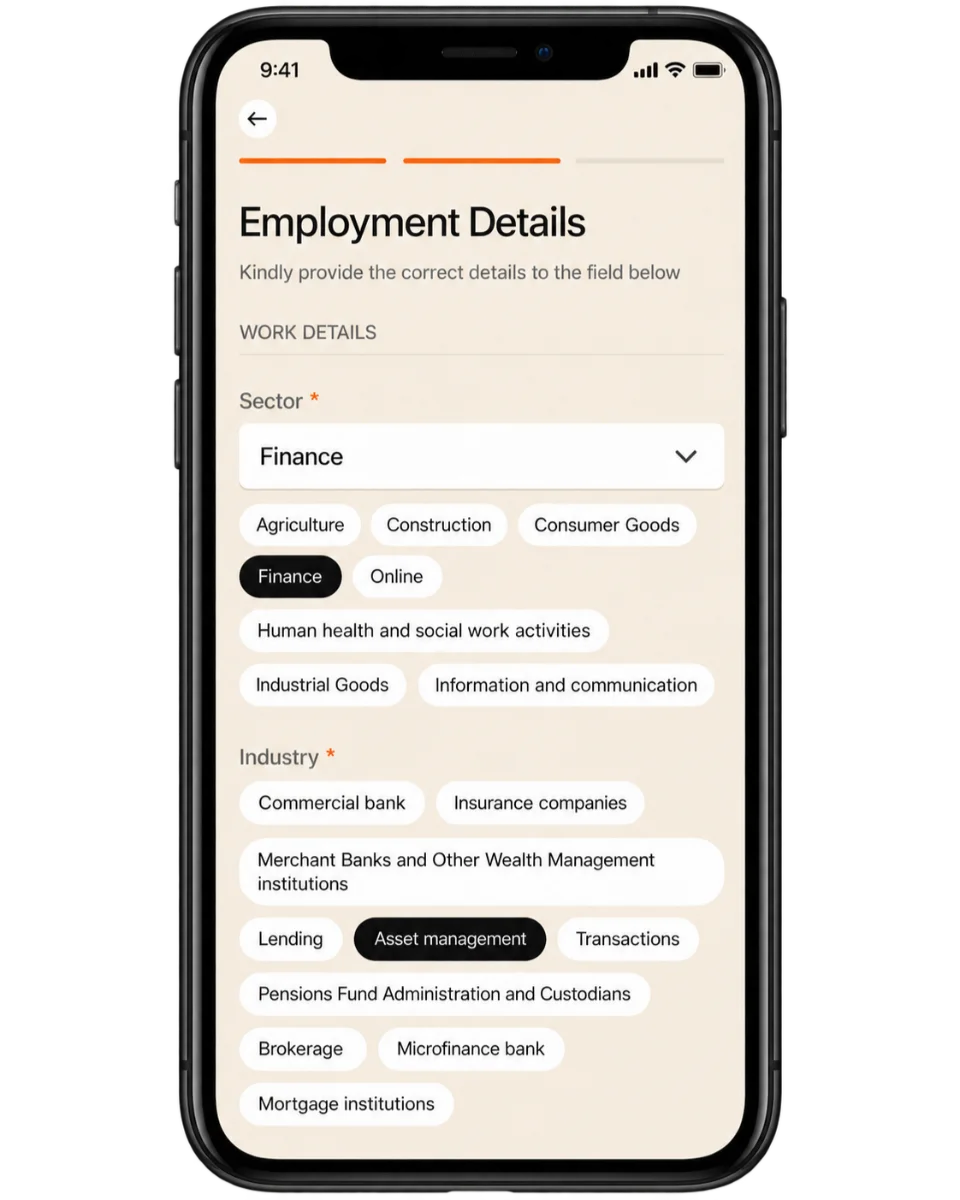
Fill your bank details. Click on [ Next ] when you’re done
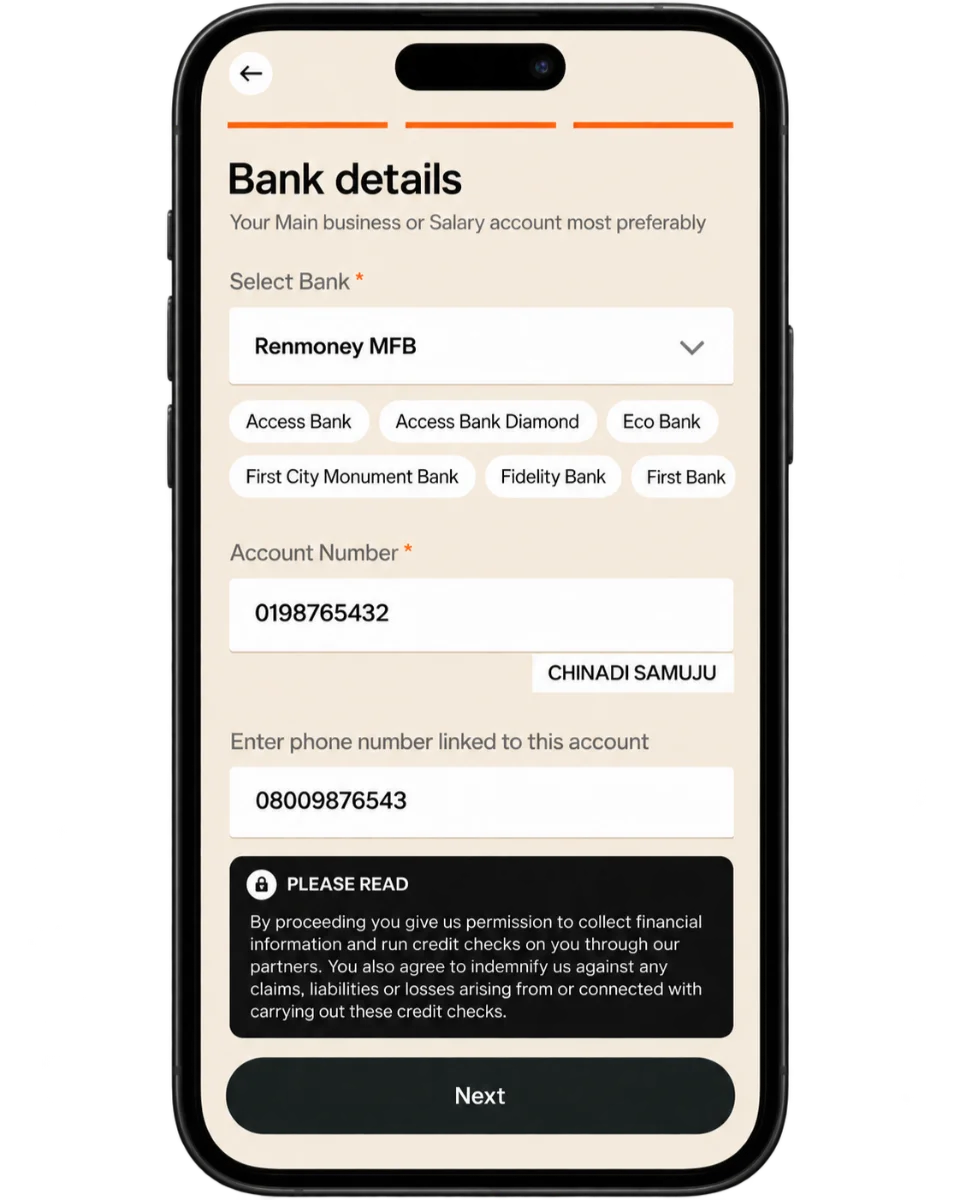
Next, grant Renmoney necessary permissions and then click [ Submit ]
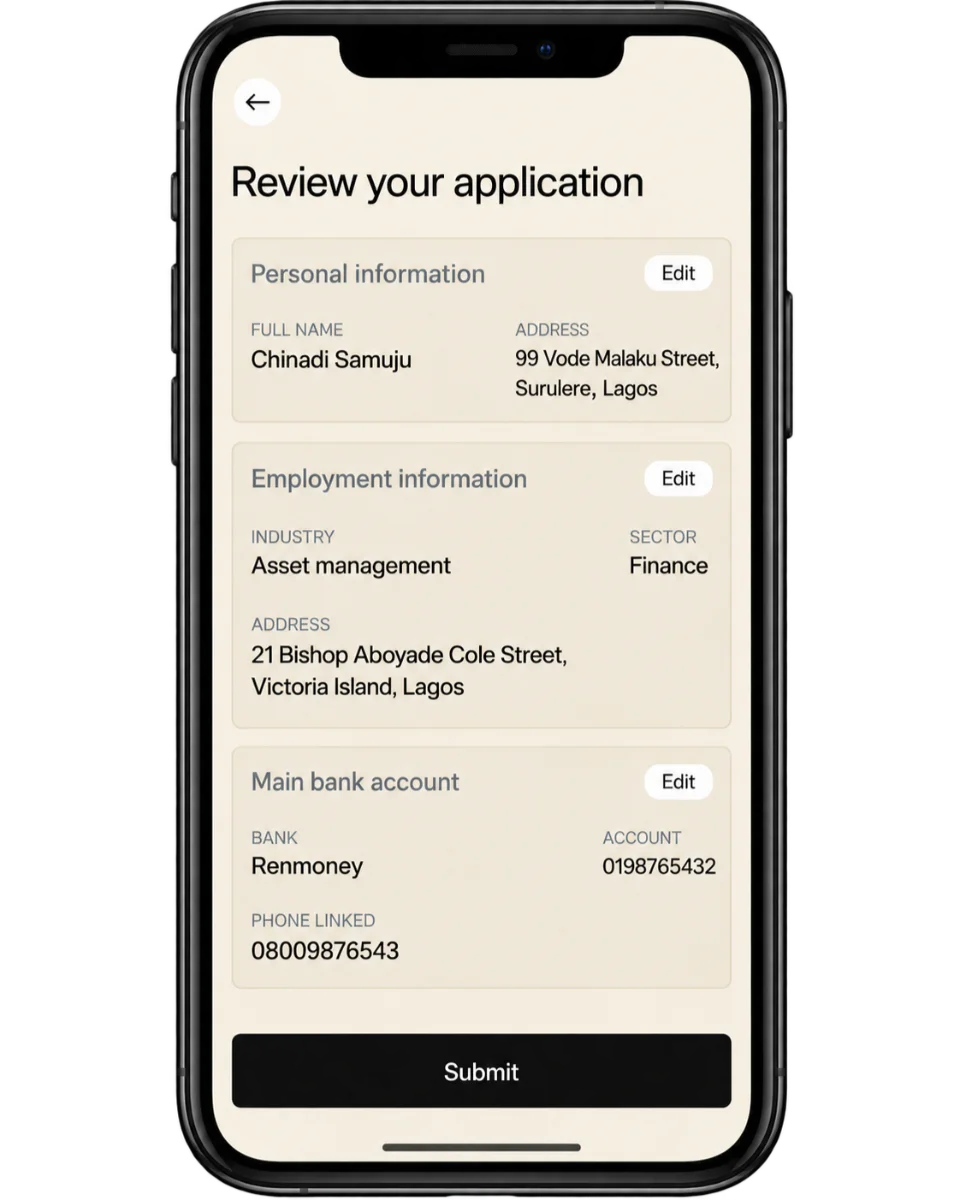
That’s it. Your loan application will be processed in minutes.
Applying on renmoney.com (on the web)
On renmoney.com on your browser:
Click on Login to get into your Renmoney account
Once in your dashboard, go to My Loans and click on it

On the loan page, click on [ Get a Loan ]

Fill the [ Loan Form ] on the next page;
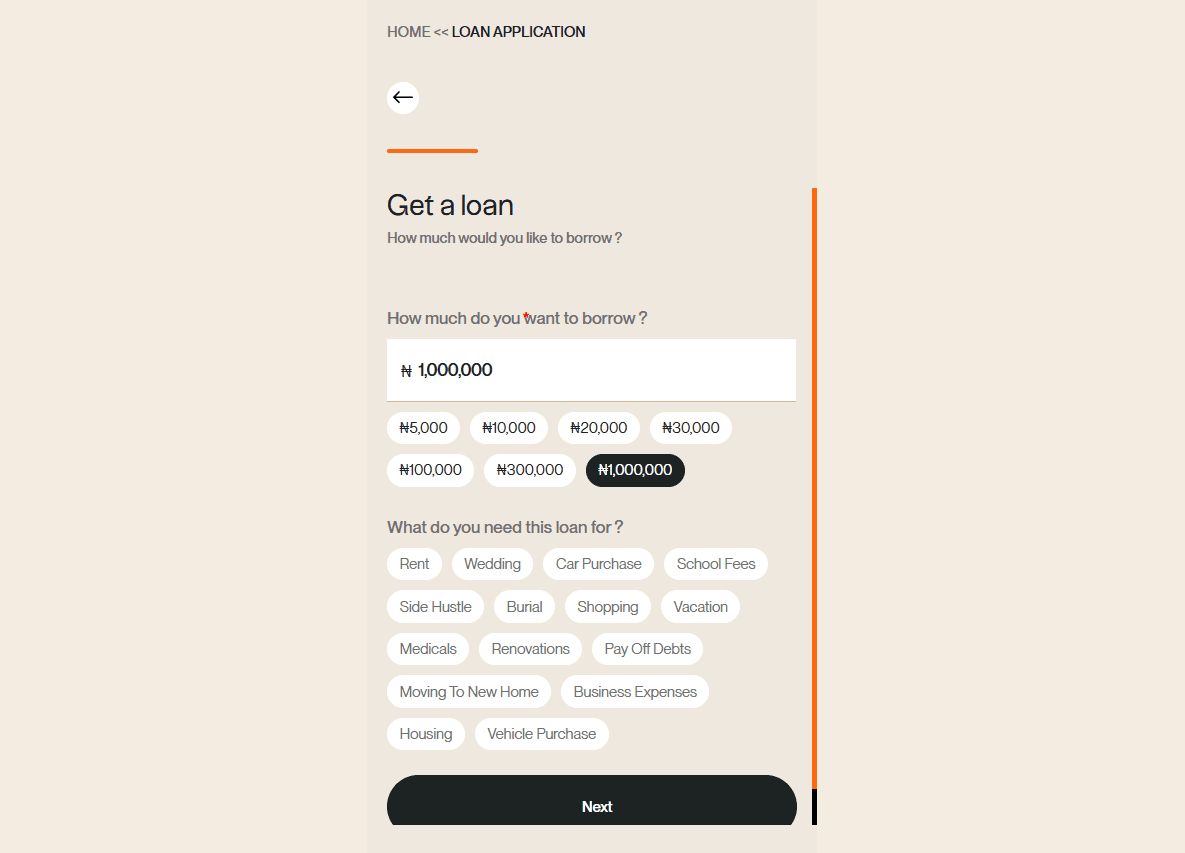
Fill the personal info form, next
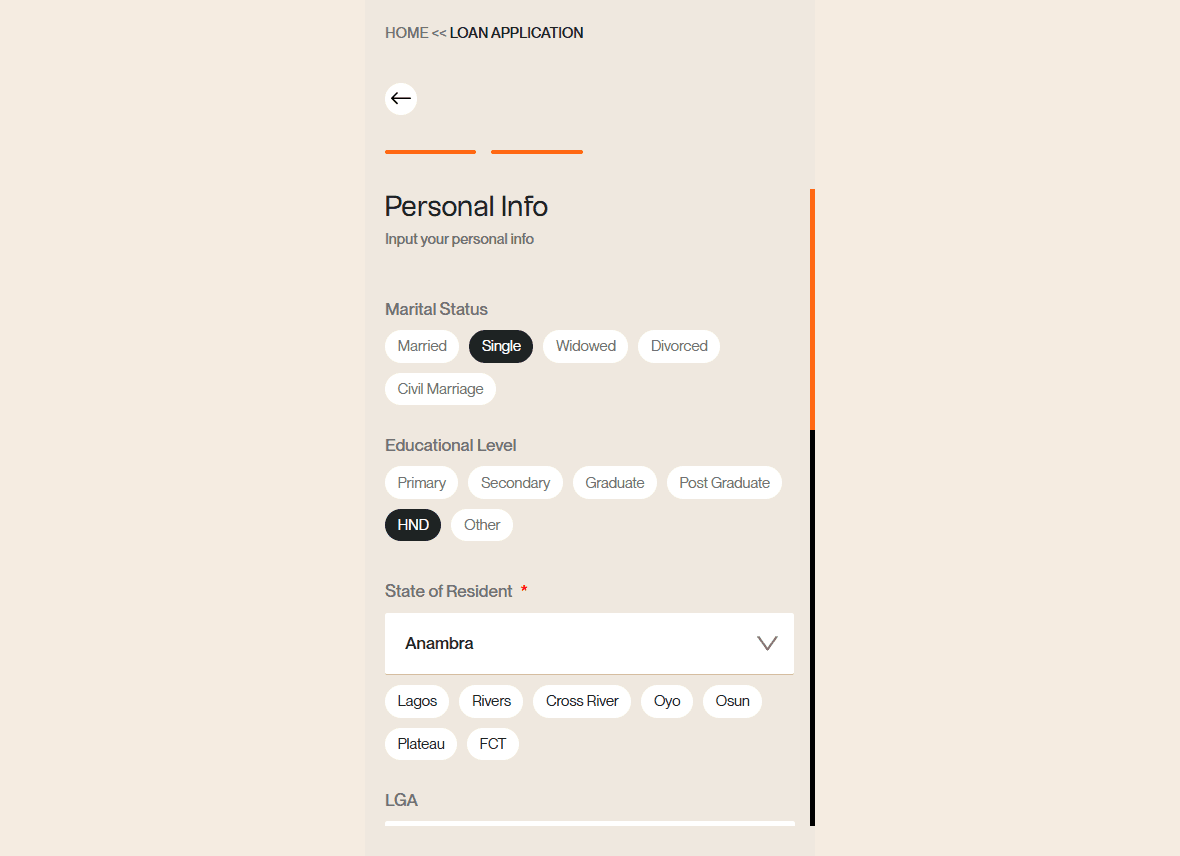
Fill the Employment detail form

The bank details auto-fills. If it doesn’t, then fill in your bank detail

Finally, review your application and submit

What happens after I apply?
If you qualify, you'll see your offer before anything is final. It shows your eligible amount, rate, fees, tenor (how long you have to repay), repayment dates and total amount payable.
Take a minute to check that the repayments fit your monthly budget, then accept only when the terms work for you. Once you accept and complete the in-app steps, the money goes to your account.
Repayments are deducted automatically from your Renmoney account on each due date, so keep it funded a day ahead. If you want to clear your loan early, you can repay from your dashboard.
Why is my online loan application not going through?
Most delays come from details that don't match. Here are the fixes for the hiccups we see most often:
If you see this | Try this |
"BVN already in use" | You may have registered before with another email. Log in with that email and reset your password. |
BVN won't validate | Check that your name and date of birth match exactly what's on your BVN. |
Phone number won't validate | Use the number linked to your BVN, in the correct format. |
OTP not arriving | Turn off DND (Do Not Disturb) on your line, then request the code again. |
Bank statement won't link | A weak network often causes this. Move to a stronger signal and retry. |
If you're still stuck, share a screenshot of the error with our team and we'll help you finish your application.
Apply for a loan on Renmoney
Renmoney is more than a loan app. We're a bank that backs you when you need to borrow, and the same app helps you save, pay bills and spend with your debit card.
When you're ready, download the Renmoney app on PlayStore or App Store and start your online loan application in minutes. You can also see all your options on our personal and business loans page. Have questions? Reach our team.
Frequently asked questions
Can I apply for an online loan from anywhere in Nigeria?
Yes. Download the Renmoney app and apply from anywhere in Nigeria. You don't need to visit a branch.
How long does an online loan application take?
Instant loan applications on Renmoney get a decision in about minutes. Having your BVN, ID and bank details ready, and making sure they match, keeps things moving.
What happens if my application is declined?
Your application most likely didn't meet our current lending criteria. You can usually reapply days, and we'll tell you when.
Can a business apply for an online loan?
Yes. SME owners can borrow up to ₦40 million on Renmoney for stock, equipment, supplier payments and cash flow.